

Train
No matter the software, you’re only as good as your training. Every day on Nordik Lab starts with the efforts you put in.

Syncs with the tools you already train with
 Strava
 Garmin Connect
 WHOOP
WHOOP Polar Flow
 Wahoo
Wahoo Apple Health
 Suunto
 HammerheadIntegrationswith Claude and ChatGPT
No matter the software, you’re only as good as your training. Every day on Nordik Lab starts with the efforts you put in.
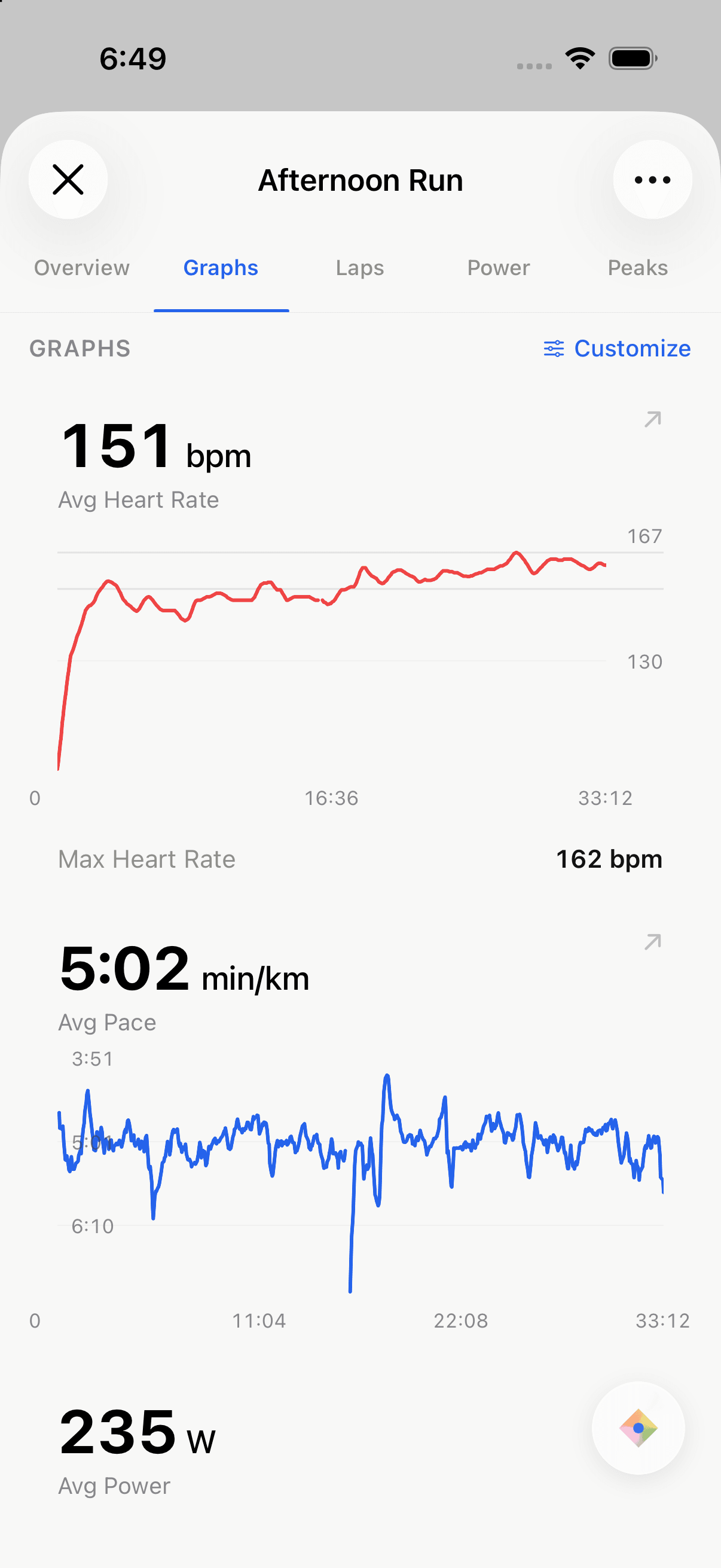
After the session, break down your efforts into context using cutting edge analysis tools.
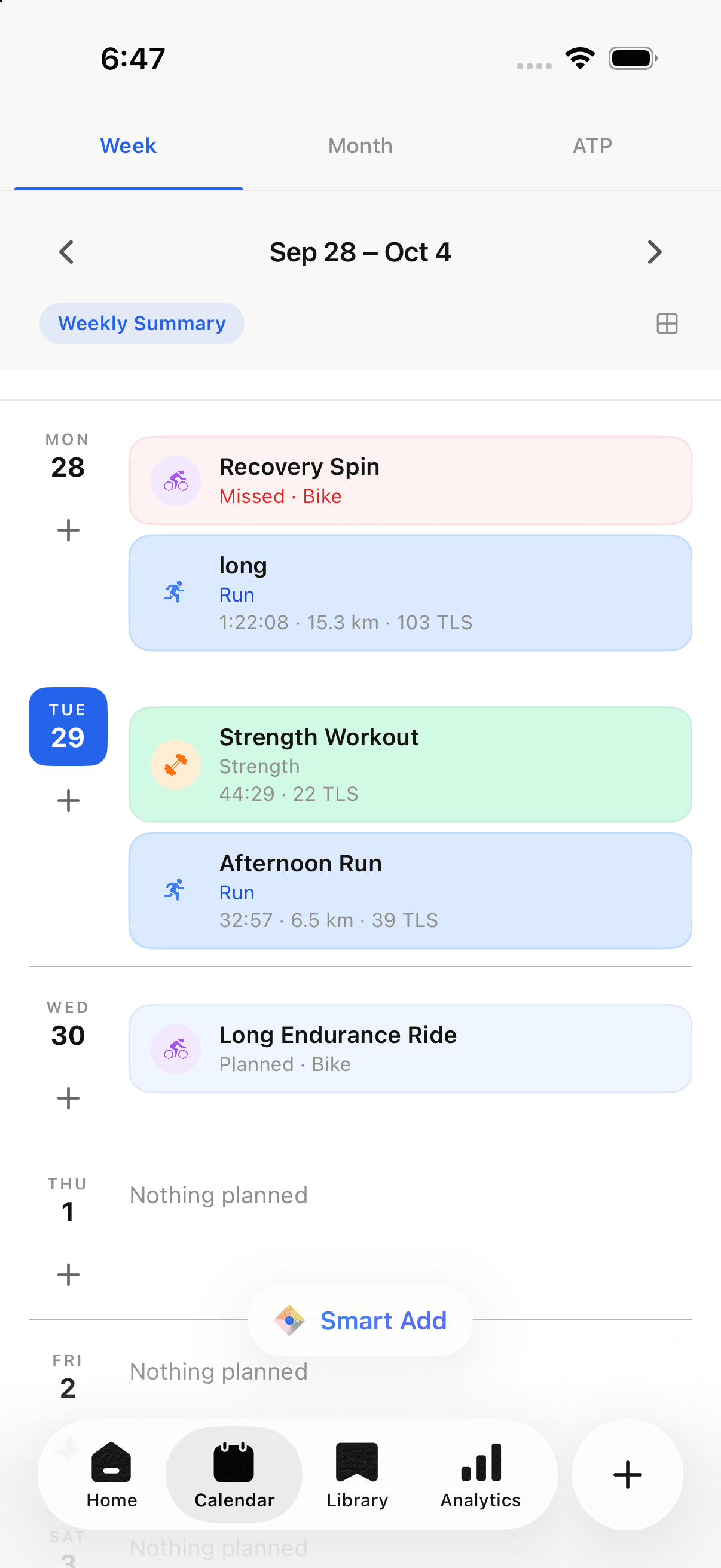
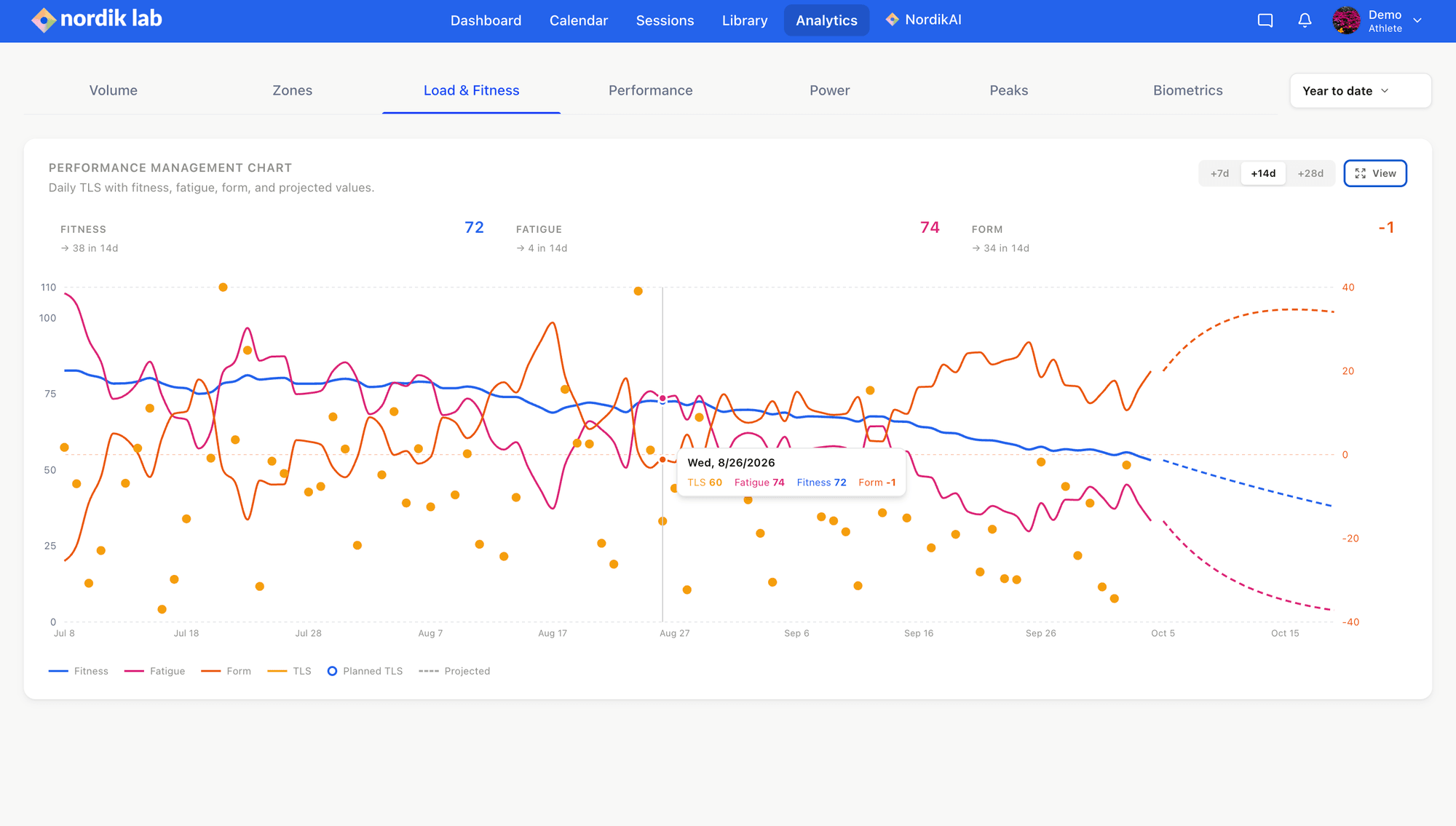
Turn your insights into decisions with our state of the art planning tools.
Build a workout. Understand the session. Make room for what’s next.
Smart Add
Turn a training note into structured intervals, then review the workout before adding it to your calendar.
Session analysis
Open a completed workout to review its metrics, route, and recorded streams in context.
Calendar planning
Move a planned workout to a new day when your schedule changes. Keep the plan and completed work together.
Create endurance and strength workouts with AI, whether you’re an athlete or a coach. Fuel each session with built-in guidance. Ask NordikAI questions grounded in your training. Nordik Lab brings it all into your calendar.
| Your training | Nordik Lab | TrainingPeaks | Final Surge |
|---|---|---|---|
| Built-in workout fueling guidance | Included: Carbs, hydration, timing — built in | Not included in full: No — separate app required | Not included in full: No — separate app required |
| AI workout creation | Included: For athletes + coaches | Included: Workout Generator | Not included in full: No |
| AI strength workout creation | Included: Smart Strength — describe it, build it | Not included in full: Not supported by AI generator | Not included in full: No |
| AI assistant with your training context | Included: NordikAI — answers grounded in your training | Not included in full: No | Not included in full: No |
| Claude & ChatGPT connection | Included: Work with your training + calendar | Not included in full: No | Not included in full: No |
| Structured endurance + strength workouts | Included: Endurance + strength | Included: Endurance + strength | Not included in full: Endurance Workout Builder |
| Reusable workouts and plans | Included: Workout + plan libraries | Included: Workout and plan libraries | Included: Workout library and plans |
| Reusable workout sections | Included: Save sections, reuse across workouts | Not included in full: No | Not included in full: No |
| Coaching multiple athletes | Included: Dynamic plans, multi-athlete calendars + pro coaching tools | Included: Athlete management | Included: Multi-athlete calendars |
| Session review and feedback | Included: Analysis and comments | Included: Dashboards and comments | Included: Dashboards and comments |
Checked October 10, 2026. × / “No” means the full native feature is not documented in the linked sources. Workouts and plans are compared separately from reusable sections. Availability varies by plan and device. Sources: TrainingPeaks workout tools, TrainingPeaks strength tools, TrainingPeaks coaching and libraries, Final Surge features, Final Surge workout library, and Final Surge coaching.
How Nordik Lab fits your training, your devices, and the people you train with.
Nordik Lab is a training and coaching platform for endurance athletes. Build structured workouts, organize your calendar, review completed sessions, and track fitness, fatigue, and form in one workspace.
Both. Athletes can manage their own training and review their progress. Coaches can manage an athlete roster, plan sessions, review completed work, and keep feedback connected to each workout.
No. You can build workouts, plan your own weeks, and analyze your training independently. If you work with a coach, you can share that workflow with them.
Nordik Lab supports running, cycling, swimming, Nordic skiing, rollerskiing, SkiErg, and strength training. You can keep different sports on the same calendar and review their training data together.
Supported connections include Strava, Garmin, WHOOP, Polar, Wahoo, Apple Health on iOS, Suunto, and Hammerhead. Importing completed activities and sending planned workouts are different capabilities; check the options for your specific device in Integrations.
Describe a session in plain language, such as “4 × 5 minutes in Zone 3.” Smart Add turns it into an editable workout with intervals, targets, and notes. Review the result before saving it to your calendar.
Review available heart rate, pace, power, elevation, route, and interval data. Compare efforts and sessions, then put the workout in the context of your training load, fitness, fatigue, and form. Available metrics depend on the data recorded by your device.
Yes. Nordik Lab has an MCP connector for connected assistants such as Claude and ChatGPT. After setting up the connection and its permissions, you can work with available training context and calendar tools. Review proposed training changes before applying them.
Move a session to another day, edit the workout, or adjust the week on your calendar. Your planned and completed sessions stay together so you can review the week as it actually unfolds.
Create your account and build your first training week in Nordik Lab.
Sign upSyncs with the tools you already train with
StravaGarmin ConnectWHOOPPolar FlowWahooApple HealthSuuntoHammerheadIntegrationswith Claude and ChatGPTNo matter the software, you’re only as good as your training. Every day on Nordik Lab starts with the efforts you put in.
After the session, break down your efforts into context using cutting edge analysis tools.
Turn your insights into decisions with our state of the art planning tools.
Build a workout. Understand the session. Make room for what’s next.
Smart Add
Turn a training note into structured intervals, then review the workout before adding it to your calendar.
Session analysis
Open a completed workout to review its metrics, route, and recorded streams in context.
Calendar planning
Move a planned workout to a new day when your schedule changes. Keep the plan and completed work together.
Create endurance and strength workouts with AI, whether you’re an athlete or a coach. Fuel each session with built-in guidance. Ask NordikAI questions grounded in your training. Nordik Lab brings it all into your calendar.
| Your training | Nordik Lab | TrainingPeaks | Final Surge |
|---|---|---|---|
| Built-in workout fueling guidance | Included: Carbs, hydration, timing — built in | Not included in full: No — separate app required | Not included in full: No — separate app required |
| AI workout creation | Included: For athletes + coaches | Included: Workout Generator | Not included in full: No |
| AI strength workout creation | Included: Smart Strength — describe it, build it | Not included in full: Not supported by AI generator | Not included in full: No |
| AI assistant with your training context | Included: NordikAI — answers grounded in your training | Not included in full: No | Not included in full: No |
| Claude & ChatGPT connection | Included: Work with your training + calendar | Not included in full: No | Not included in full: No |
| Structured endurance + strength workouts | Included: Endurance + strength | Included: Endurance + strength | Not included in full: Endurance Workout Builder |
| Reusable workouts and plans | Included: Workout + plan libraries | Included: Workout and plan libraries | Included: Workout library and plans |
| Reusable workout sections | Included: Save sections, reuse across workouts | Not included in full: No | Not included in full: No |
| Coaching multiple athletes | Included: Dynamic plans, multi-athlete calendars + pro coaching tools | Included: Athlete management | Included: Multi-athlete calendars |
| Session review and feedback | Included: Analysis and comments | Included: Dashboards and comments | Included: Dashboards and comments |
Checked October 10, 2026. × / “No” means the full native feature is not documented in the linked sources. Workouts and plans are compared separately from reusable sections. Availability varies by plan and device. Sources: TrainingPeaks workout tools, TrainingPeaks strength tools, TrainingPeaks coaching and libraries, Final Surge features, Final Surge workout library, and Final Surge coaching.
How Nordik Lab fits your training, your devices, and the people you train with.
Nordik Lab is a training and coaching platform for endurance athletes. Build structured workouts, organize your calendar, review completed sessions, and track fitness, fatigue, and form in one workspace.
Both. Athletes can manage their own training and review their progress. Coaches can manage an athlete roster, plan sessions, review completed work, and keep feedback connected to each workout.
No. You can build workouts, plan your own weeks, and analyze your training independently. If you work with a coach, you can share that workflow with them.
Nordik Lab supports running, cycling, swimming, Nordic skiing, rollerskiing, SkiErg, and strength training. You can keep different sports on the same calendar and review their training data together.
Supported connections include Strava, Garmin, WHOOP, Polar, Wahoo, Apple Health on iOS, Suunto, and Hammerhead. Importing completed activities and sending planned workouts are different capabilities; check the options for your specific device in Integrations.
Describe a session in plain language, such as “4 × 5 minutes in Zone 3.” Smart Add turns it into an editable workout with intervals, targets, and notes. Review the result before saving it to your calendar.
Review available heart rate, pace, power, elevation, route, and interval data. Compare efforts and sessions, then put the workout in the context of your training load, fitness, fatigue, and form. Available metrics depend on the data recorded by your device.
Yes. Nordik Lab has an MCP connector for connected assistants such as Claude and ChatGPT. After setting up the connection and its permissions, you can work with available training context and calendar tools. Review proposed training changes before applying them.
Move a session to another day, edit the workout, or adjust the week on your calendar. Your planned and completed sessions stay together so you can review the week as it actually unfolds.
Create your account and build your first training week in Nordik Lab.
Sign up